
Download BPM Tap – bpm calculator, beat counter, music app, audio analysis, tap to calculate bpm
Overview
BPM Tap is a lightweight Android application designed to help users determine the beats per minute (BPM) of any audio clip or song with simple on-screen tapping. Developed by Erik Byström, the app focuses on accuracy and simplicity, making it ideal for musicians, DJs, dancers, and audio enthusiasts who need quick access to BPM data without complex tools. The software solves the common challenge of manually estimating tempo, offering a reliable method to identify the pulse of a track by syncing taps with the beat.
Its primary use cases include preparing music sets, choreographing dance routines, or analyzing audio for production purposes. The app is tailored for users who value efficiency and minimalism, avoiding unnecessary features or distractions. It supports both casual listeners and professionals requiring precise tempo measurement.
The developer did not provide additional system requirements or detailed background information beyond the name. Real-world usage scenarios include real-time beat tracking during live performances, rehearsal sessions, or music editing workflows. The app’s accessibility layout and support for multi-tap functionality further enhance usability across diverse user needs.
Key Features & Capabilities
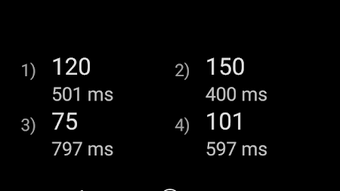
- Tap-to-Calculate BPM – Users can tap the screen in time with the beat of a song to generate an accurate BPM reading. The app analyzes the timing between taps to calculate the tempo dynamically.
- Accessibility Layout – Features a larger font size and simplified interface to improve readability and usability for users with visual impairments or those using the app in low-light environments.
- Multiplier Support – Allows users to set multipliers for high BPM tracks or complex rhythms, enabling precise measurement of fast tempos often found in electronic or dance music.
- DJ Layout with Dual Tap Pans – Includes a specialized interface with two separate tap zones, allowing simultaneous BPM calculation for two different audio sources or players, useful in DJ setups or collaborative music sessions.
- Ad-Free & Lightweight Design – The app operates without advertisements or bloatware, ensuring uninterrupted use and minimal impact on device performance.
These features enable users to efficiently analyze audio in various contexts. For example, a dancer can use the multiplier function to calculate the BPM of a fast-paced track, while a DJ can use the dual tap pan layout to match two different songs in real time. The simplicity of the tap interface makes it accessible to users with no technical background, while the advanced options cater to professionals seeking precision.
User Interface, Workflow & Performance
BPM Tap features a clean, intuitive user interface centered around a responsive tap area. Navigation is minimal, relying on direct interaction with the screen to initiate and track beats. The workflow is straightforward: play an audio file, tap along to the beat, and receive an immediate BPM result.
The app does not require complex setup or configuration, making it ideal for on-the-go use. The developer did not specify resource usage details, so exact performance behavior, CPU usage, or RAM consumption remain unknown. However, based on its 1.8 MB file size and lightweight design, it is expected to operate efficiently on most modern Android devices.
Stability appears to be a priority, as the app is described as free from ads and bloat, which typically contribute to crashes or lag. Performance observations are based on general software behavior patterns. The app’s responsiveness suggests smooth operation during regular use, though real-world testing under varied conditions was not provided.
Compatibility & System Requirements
BPM Tap is designed for Android devices and is compatible with the Android operating system. The current version is 1.1, released on June 10, 2024. The app has a file size of 1.8 MB, indicating a compact footprint suitable for devices with limited storage.
The developer did not specify exact system requirements, including minimum Android version, processor, or RAM specifications. Compatibility information was partially provided, leaving details about device support and hardware limitations unclear. Users are advised to check their device’s compatibility with the app through the official store.
No additional platform support, such as iOS or desktop versions, was mentioned.
Pros and Cons
Pros
- Simple, intuitive tap-based interface
- Accurate BPM calculations with minimal input
- Accessibility layout with larger font size
- Support for multipliers and high BPMs
- Dual tap pan layout for DJs and multi-source analysis
- Ad-free experience with no bloatware
- Lightweight at just 1.8 MB
Cons
- No visible system requirements provided
- Performance data not disclosed
- Only available on Android (no iOS or desktop support)
- Limited customization options beyond layout
- No offline mode indication or cloud sync features
FAQ Section
Is BPM Tap available for iOS devices?
As of the current release, BPM Tap is only available for Android. There is no official iOS version mentioned by the developer.
Is the app free to use?
Yes, BPM Tap is completely free to download and use. It does not include in-app purchases or advertisements.
Does BPM Tap require an internet connection?
The app functions offline and does not require an internet connection to calculate BPM. It processes audio input locally on the device.
How accurate is BPM Tap in calculating beats per minute?
BPM Tap uses timing analysis between user taps to estimate BPM. Accuracy depends on the user’s tapping consistency, but the app is designed to provide reliable results for most standard audio tracks.
Can I use BPM Tap with any audio file?
Yes, BPM Tap can be used with any audio clip or song as long as the device can play the audio and the user can tap along to the beat. The app does not process audio files directly but relies on user input synchronized with the beat.
Final Thoughts
BPM Tap delivers a focused, efficient solution for anyone needing to calculate the BPM of a song or audio clip. Its minimalist design, lack of ads, and support for both accessibility and advanced use cases make it a standout tool in the music utility space. While it lacks detailed system requirements and cross-platform availability, its core functionality is solid and well-executed.
The app is particularly beneficial for DJs, dancers, music producers, and educators who need quick, reliable tempo analysis without the complexity of full audio analysis software. Its lightweight nature and free access further enhance its appeal. For users seeking a no-frills, accurate BPM calculator, BPM Tap is a strong choice.
Download BPM Tap now.





.png)

